Many hands make light work! Invovle others in your legal research by creating a group so that you can share tags, annotations and uploaded content.
Create a group

To create a group:
1) Navigate to MyJade
2) Select “Groups, Matters and Projects from the LHS”
3) Select “Create New Group, Matter or Project”
and the below screen will be displayed
Add some details
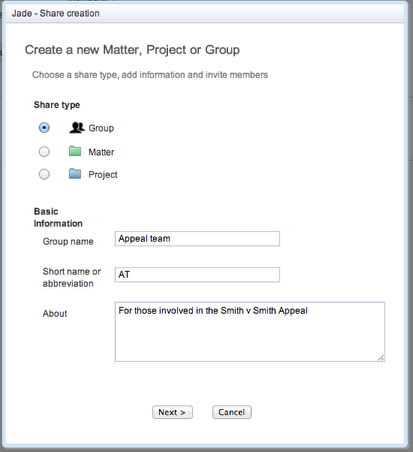
Give your group
1) A name
2) An abbreviation
3) A short description
Invite people and assign roles

Start tagging and annotating

Next time you add a Tag assign it to the Group you created
Share your content with the group
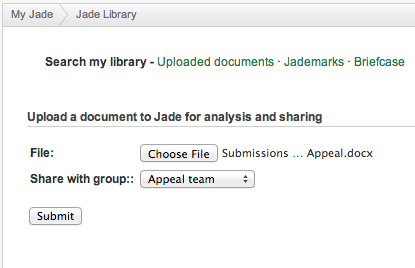
You can upload your content (e.g. advices, submissions and research) to the group so they can view the analysis.
 Jade Legal Research Blog